Layered vault model
Build a flexible protection strategy around a main password, hidden section and keyfile support.
B Safe brings layered vault structure, metadata sanitization, Touch ID access and controlled preview into one clean desktop experience.
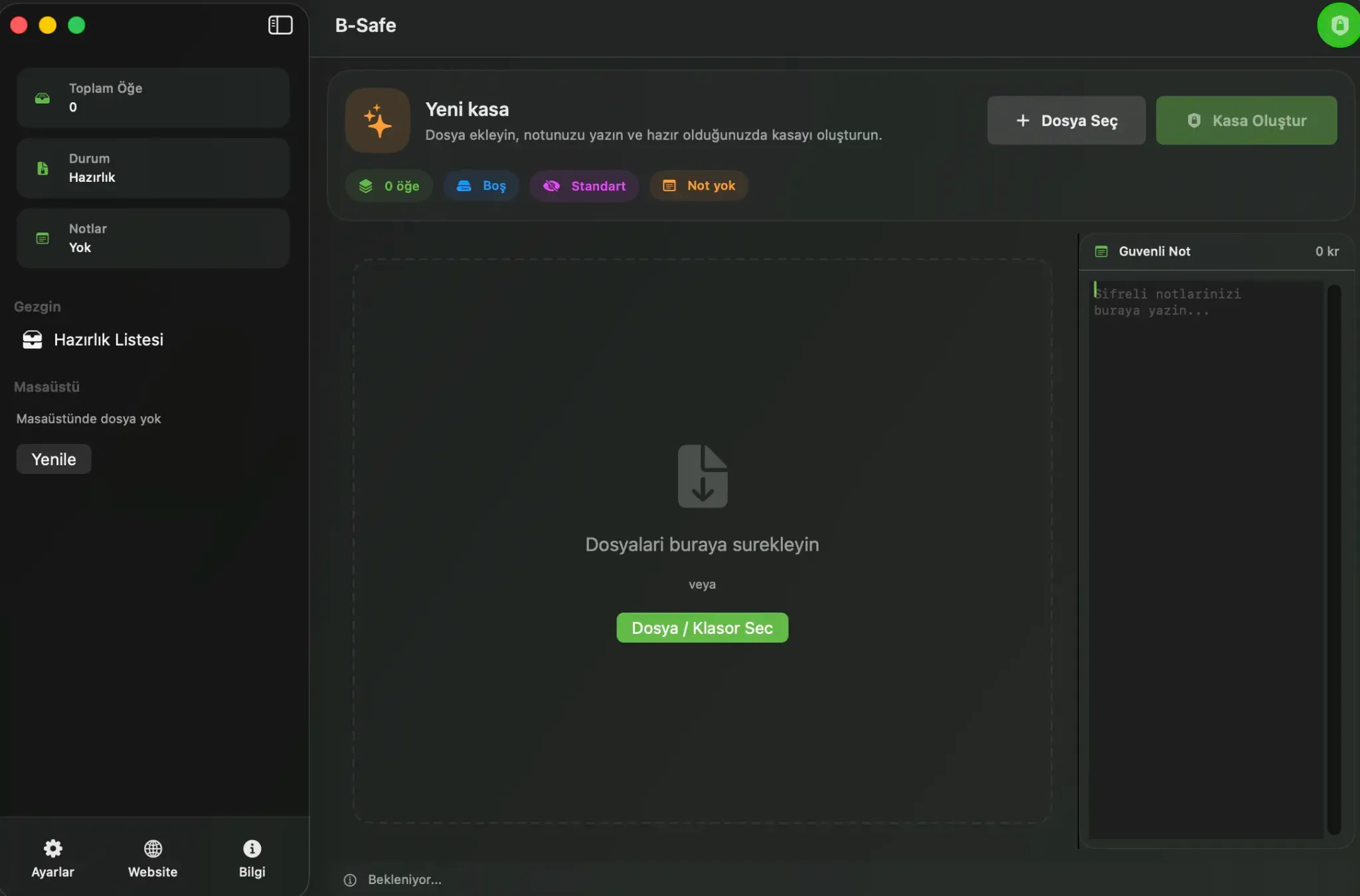
Classify files, protect them and access them in a more controlled way when needed.
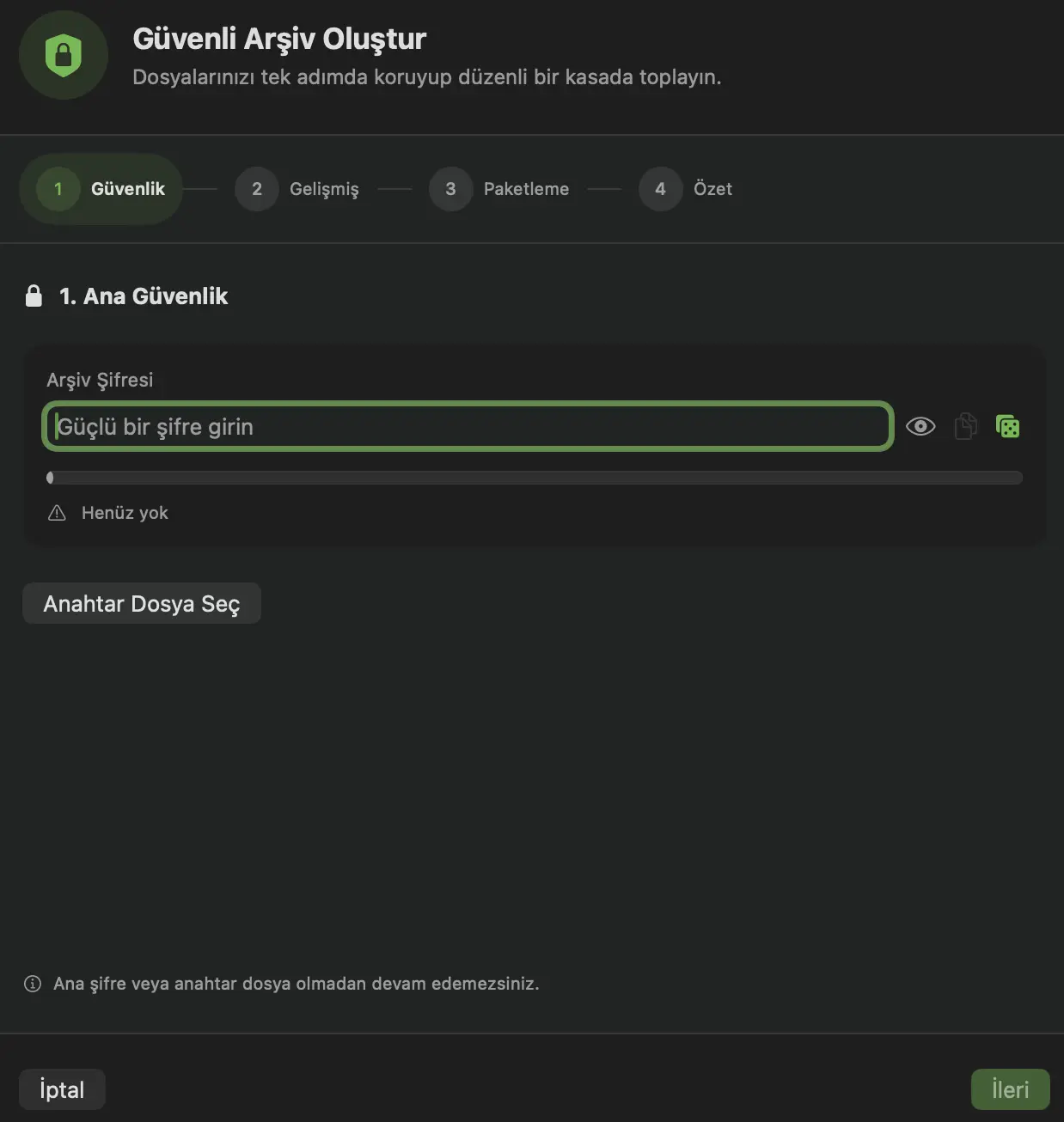
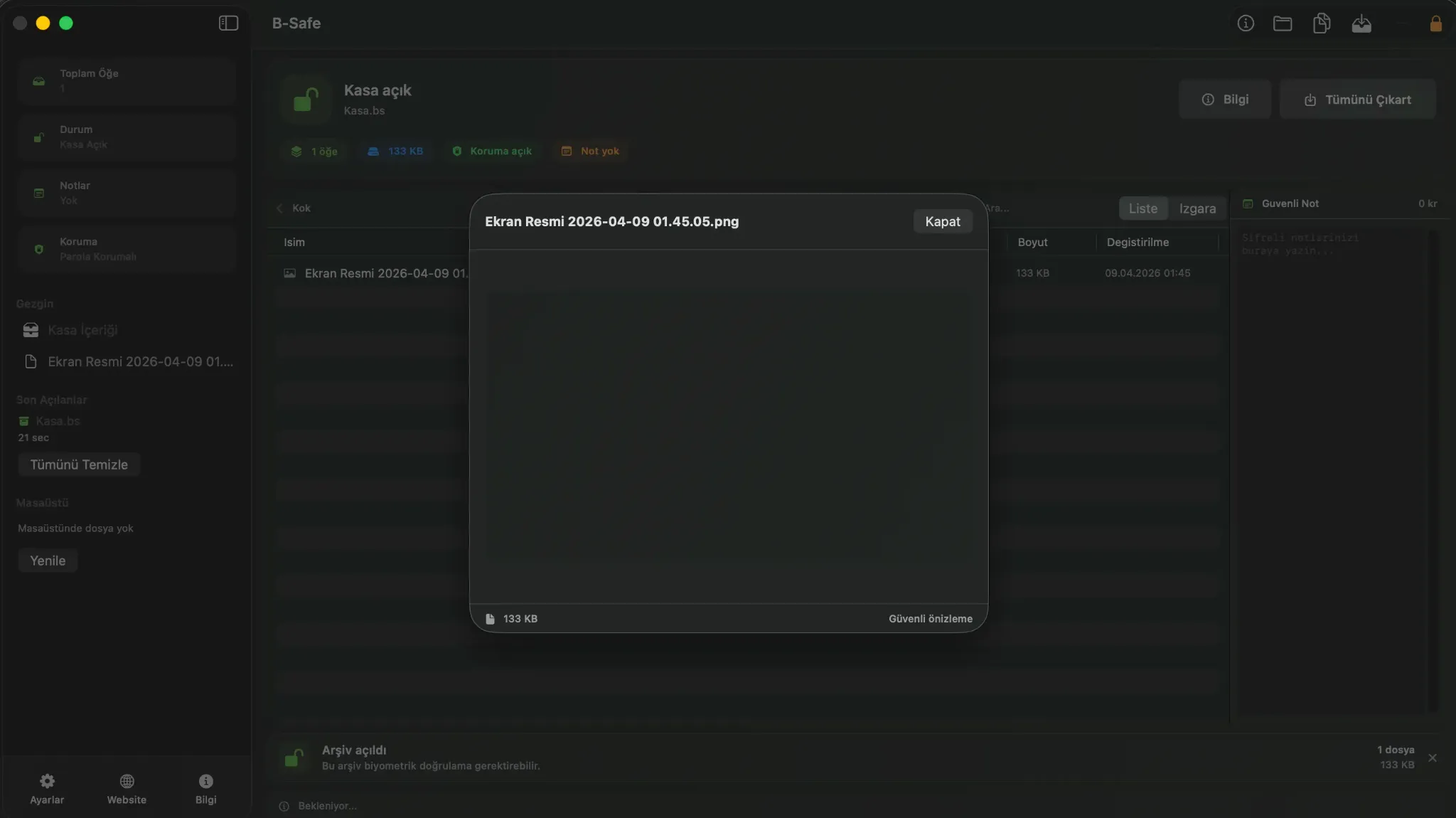
Each layer is designed to help manage sensitive files with more security, structure and control.
Build a flexible protection strategy around a main password, hidden section and keyfile support.
Different content layers can be opened with different passwords so highly sensitive material stays separated from the standard view.
The app integrates with macOS authentication flows while keeping protection active when it moves into the background.
Image metadata such as EXIF, GPS and related fields can be removed to reduce accidental exposure.
Open text, PDF and image files inside the app to reduce unnecessary exports and scattered temporary files.
Compression level, expiration date, carrier image and notes help shape the vault around real operating needs.
B Safe turns technical security choices into clear product steps so teams can focus on decisions instead of complex commands.
Use drag and drop to separate main files, hidden content and notes before packaging.
Set password, keyfile, Touch ID, metadata sanitization and expiration options from one guided wizard.
Access locked content in a controlled way, preview it, export if needed or seal it again.
Behind the modern interface, B Safe runs with strong encryption, integrity checks and controlled preview layers.
The codebase combines layered vault logic, AES-GCM sealing, PBKDF2 hardening with 1,200,000 iterations, integrity verification, metadata sanitization and controlled preview. That makes B Safe feel like more than storage: it feels guided and operationally ready.
| Criteria | B Safe | VeraCrypt | Cryptomator | Keka / BetterZip |
|---|---|---|---|---|
| Cryptographic foundation | AES-GCM sealing, PBKDF2 hardening and integrity verification in one guided flow | Strong encryption, but the workflow is more technical | Strong vault model, with a stronger cloud-folder focus | Mostly centered on archive handling and password protection |
| Layered access model | Main vault, hidden section, keyfile and Touch ID can work together | Strong container logic, but more manual in practice | Standard vault model without hidden-section behavior | Convenient archives rather than layered protection |
| Preview and access flow | Code-level controlled preview and single-panel management | Often requires mounting and external handling | Good for cloud vault scenarios, less operational on desktop | Good archive browsing, lighter secure-preview story |
| Operational safeguards | Metadata sanitization, expiry controls, suspicious-path checks and extraction limits | Often depends on extra tools and user discipline | Scenario-dependent privacy considerations remain | Operational privacy is not the main product focus |
| Product feel | Technical depth with a calm UI, making security choices faster and clearer | Closer to power users | Clear in its niche | Practical, but less like a premium security product |
This comparison is simplified from the app code paths covering crypto flow, hidden section handling, keyfile support, controlled preview and safety checks.
Try the core workflow first, then move to stronger security layers with Pro.
For users who want to try the app and use the core vault workflow.
A clean local-first entry point for collecting and organizing sensitive files more safely.
For users who want stronger privacy, clearer control and a more professional workflow.
Brings layered protection, controlled visibility and macOS-native access flow into one plan.
Pro unlocks the layers visible in the codebase: hidden section, keyfile, Touch ID, auto-lock, metadata sanitization and controlled preview.
Keep setup simple, raise the protection level and move to a more controlled workflow without changing your local habits.
It fits contracts, financial documents, private media archives, internal notes and any sensitive files that need tighter control.
Pro unlocks hidden section support, keyfile flow, Touch ID access, auto-lock, metadata sanitization and more controlled preview.
The product is positioned around a local-first model. In the default flow, files are managed on the device.
Send a message if you want details about the product, pricing or team usage.
Form submissions now land in the secure admin inbox with basic security checks and minimal data collection.